Odyz FAQ
How do I see which countries I've visited?
Odyz › FAQ › Which countries have I visited?
Published · Updated
The short answer
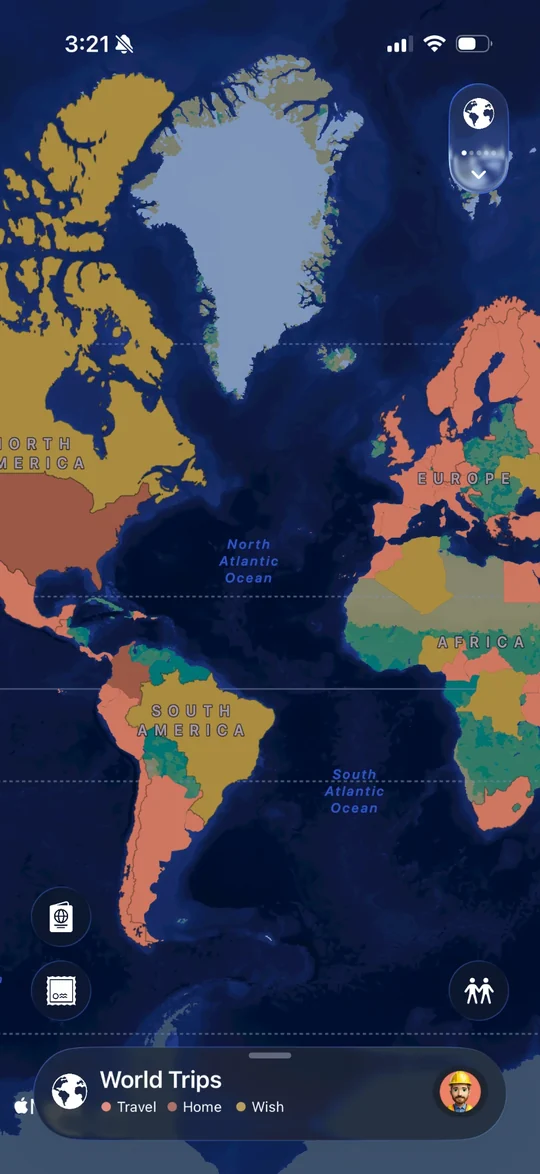
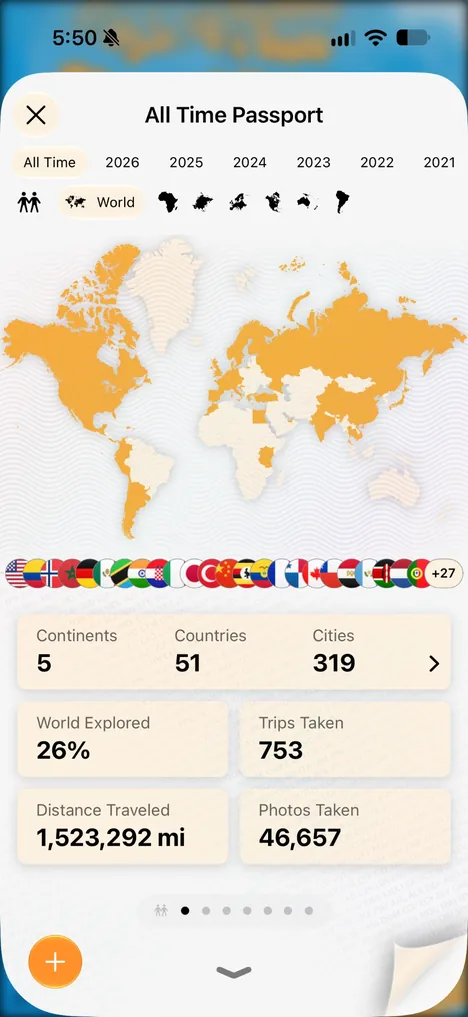
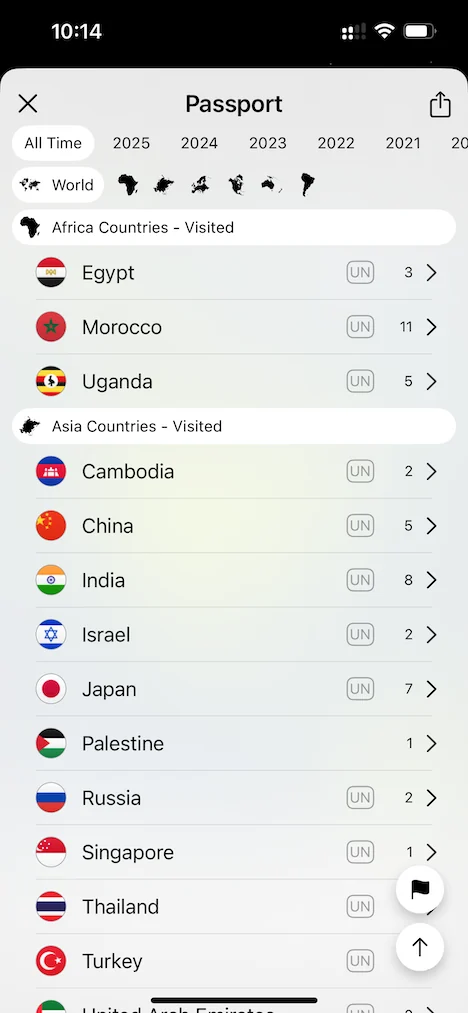
Odyz shows them two ways. On your World Trips map, every country you've been to is filled in, so you can see your travels at a glance. In your digital passport, your visited countries are listed by continent, with the number of cities you visited in each one. Both build themselves from the photos on your phone, including trips from years ago.
Step by step
See them on the map
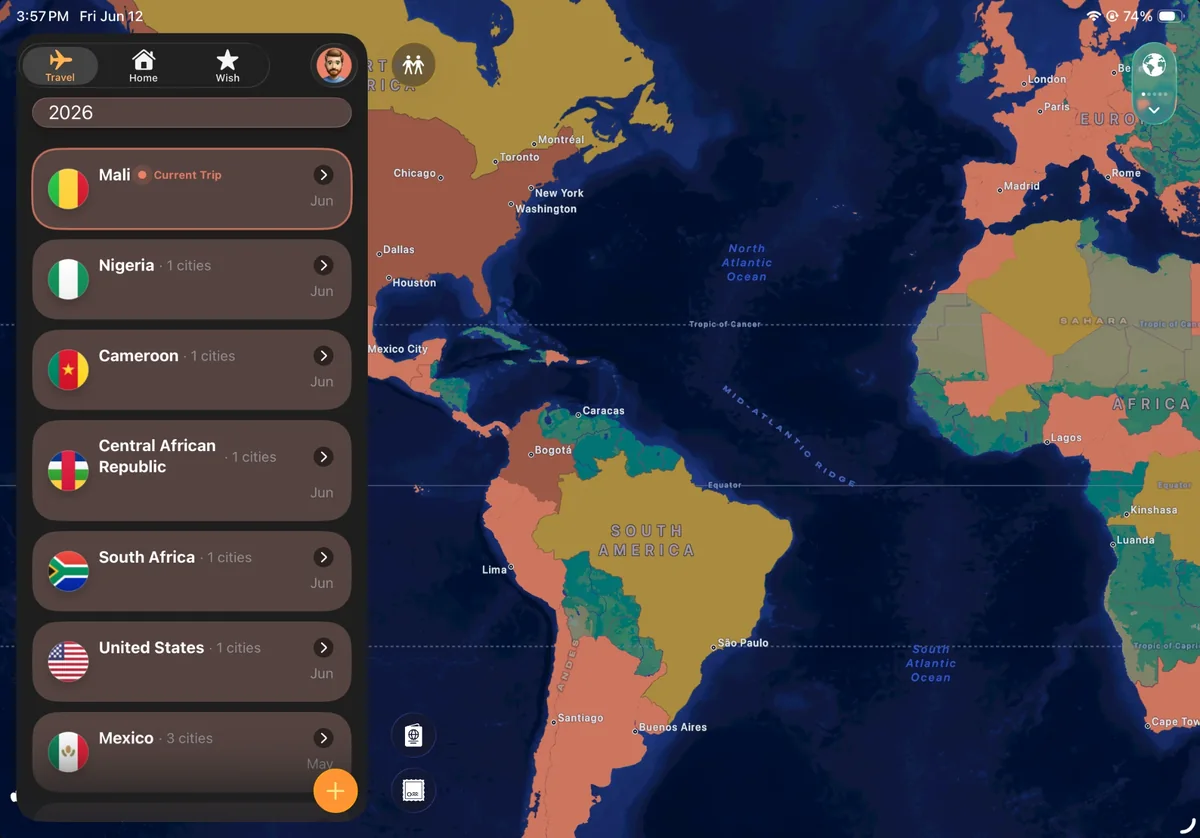
Your World Trips map fills in every country you've visited, so you can spot the gaps at a glance.
See them in your passport
Tap the passport icon on the main screen. The first page shows every country you've visited on the map and as a row of flags. Pick World or a single continent to narrow it down.
See them as a list
Your passport also lists every country you've visited, grouped by continent, with how many cities you visited in each.
See them ranked
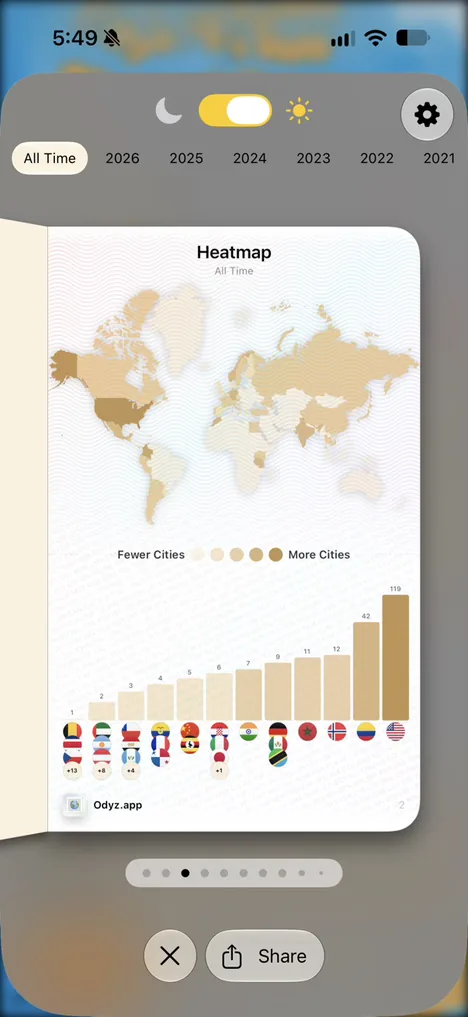
Flip to the Heatmap page to see every country shaded and ranked by how many cities you visited there, or to Favorites for your top countries, with trips, nights and your first visit.
See them year by year
On iPad, your trips for the year sit beside the map, country by country, with the cities in each. Your timeline does the same on iPhone.
Frequently asked questions
Can I see which countries I visited in a specific year?
Yes. Pick a year in your passport, or scroll your timeline, which is organized by year.
Can I see which countries a friend has visited?
Yes. When you compare passports with a friend, both of your countries appear on one world map.
Does Odyz include territories?
Yes. Odyz tracks all 193 UN countries and many more territories.
More questions
Try it with your own photos
Odyz is free on iPhone and iPad, with no ads and no account. Your travel history is ready the first time you open it.