Odyz FAQ
How do I see my travel stats?
Odyz › FAQ › How do I see my travel stats?
Published · Updated
The short answer
Tap the passport icon on the main screen of Odyz. Your digital passport adds up your travels automatically from your photos: continents, countries and cities visited, how much of the world you've explored, trips, distance and photos. Flip through its pages for much more: a heatmap of your countries, a dot for every city, your favorite countries, the seasons you travel in, the languages you've encountered, how you rank against travelers worldwide, and a stamp for every country. Pick all time or any year, share any page, and compare with a friend.
Step by step
Tap the passport icon
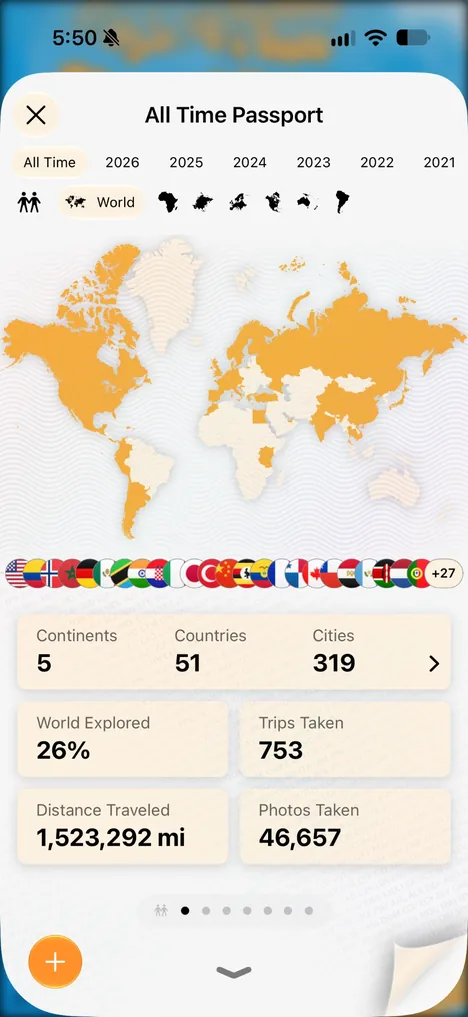
On the main screen of Odyz, tap the passport icon. Your passport opens on its first page, with the map of everywhere you've been, a flag for every country, and the big numbers: continents, countries, cities, share of the world explored, trips taken, distance traveled and photos taken.
Pick a year, the world or a continent
At the top of your passport, choose All Time for your whole travel history or a single year, like 2025. Below that, choose World or a single continent, and every number and map follows.
Flip through the pages
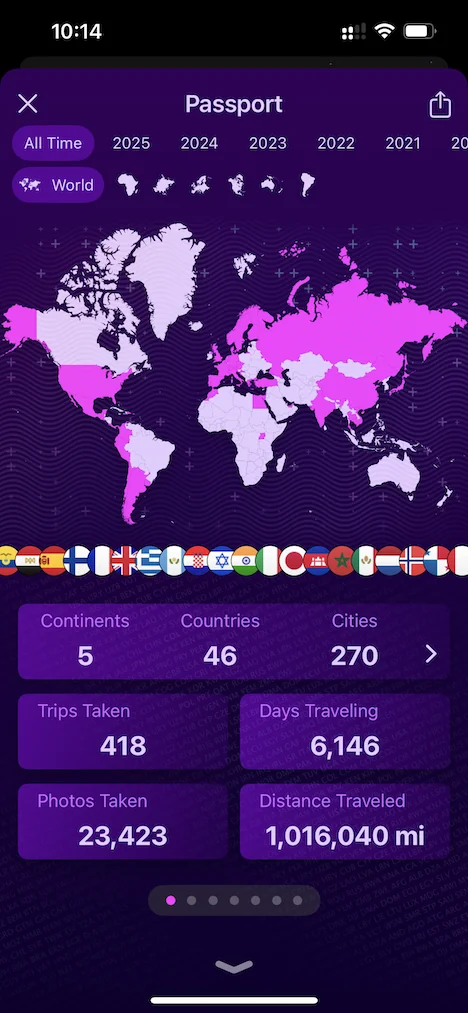
Your passport has a page for every way to look at your travels. Swipe through them:
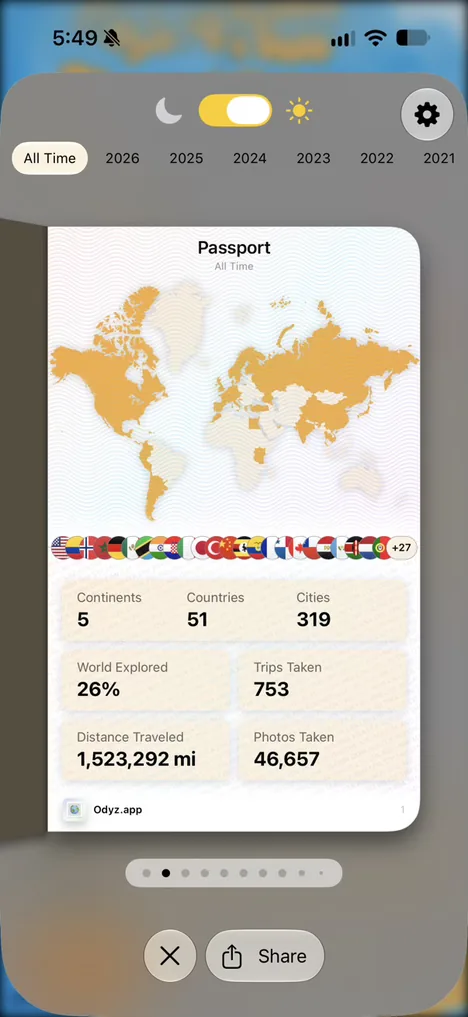
- PassportContinents, countries and cities, share of the world explored, trips, distance and photos.
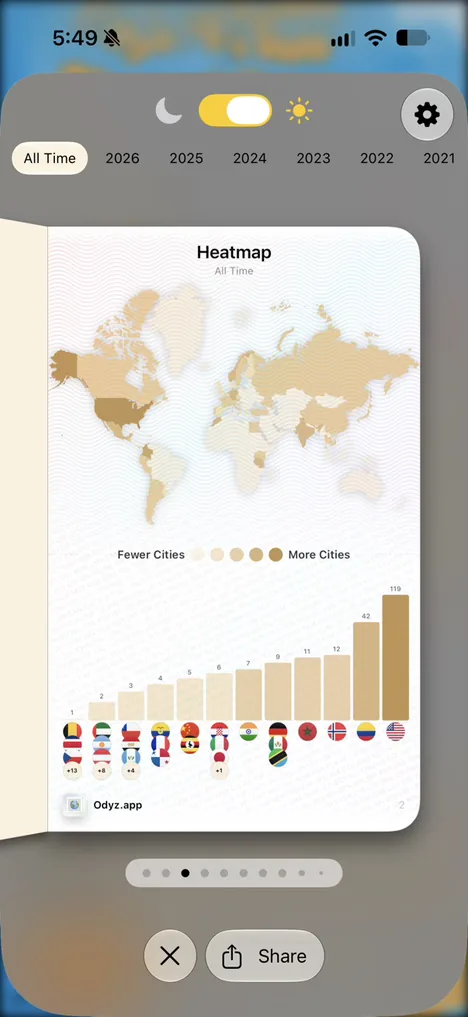
- HeatmapEvery country shaded by how many cities you visited there, ranked.
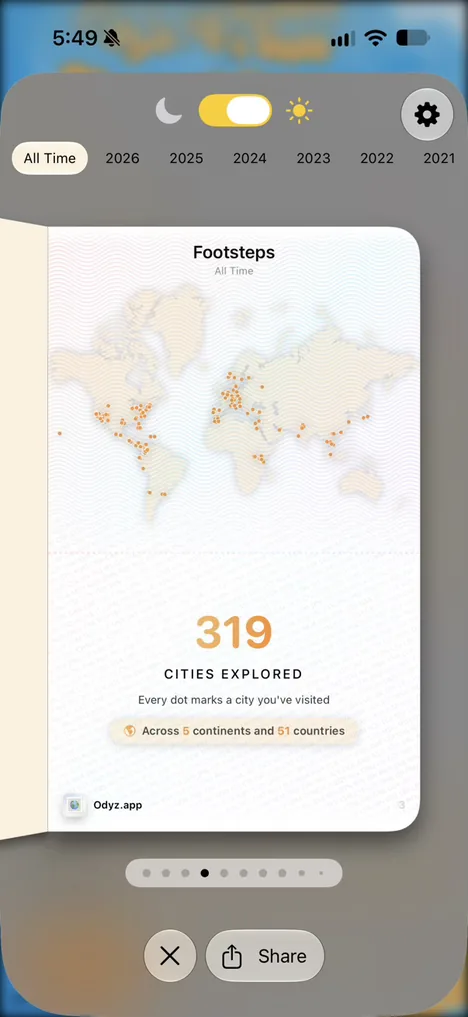
- FootstepsA dot on the map for every city you have ever visited.
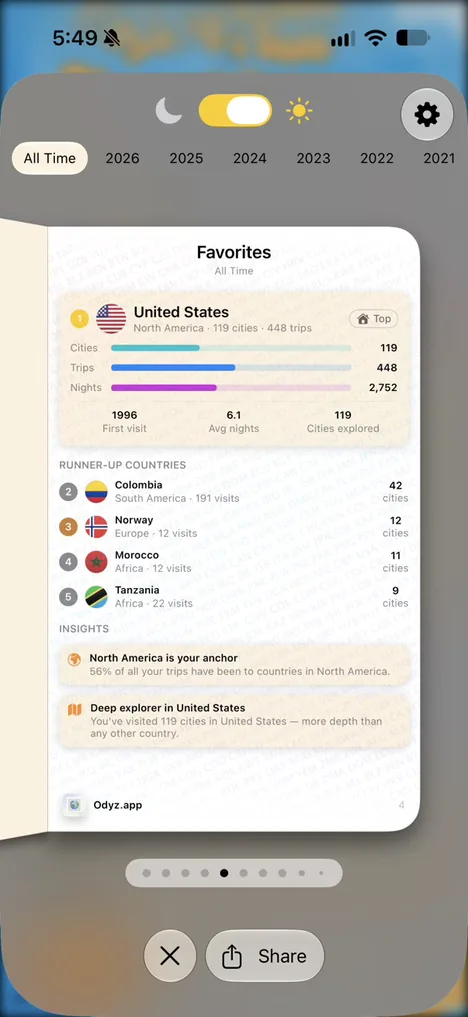
- FavoritesYour top countries, with cities, trips, nights and your first visit.
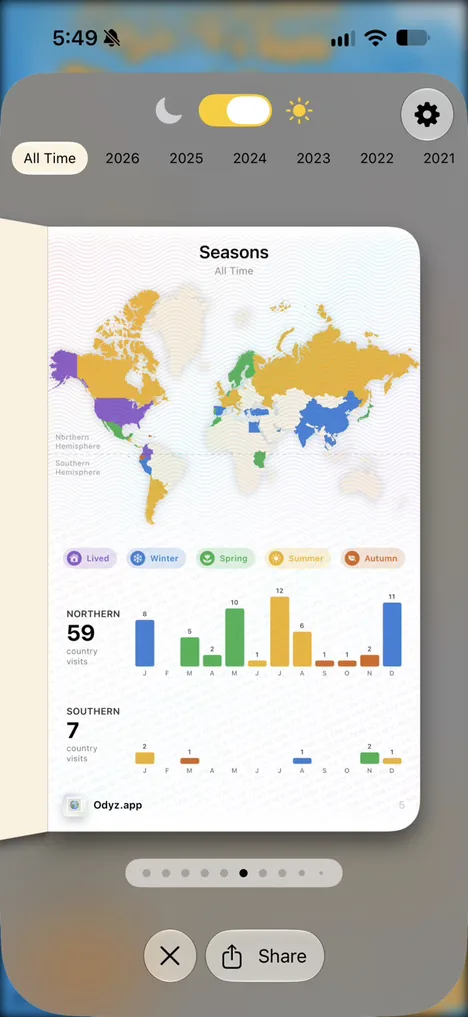
- SeasonsWhen you travel: countries colored by season, and visits month by month in each hemisphere.
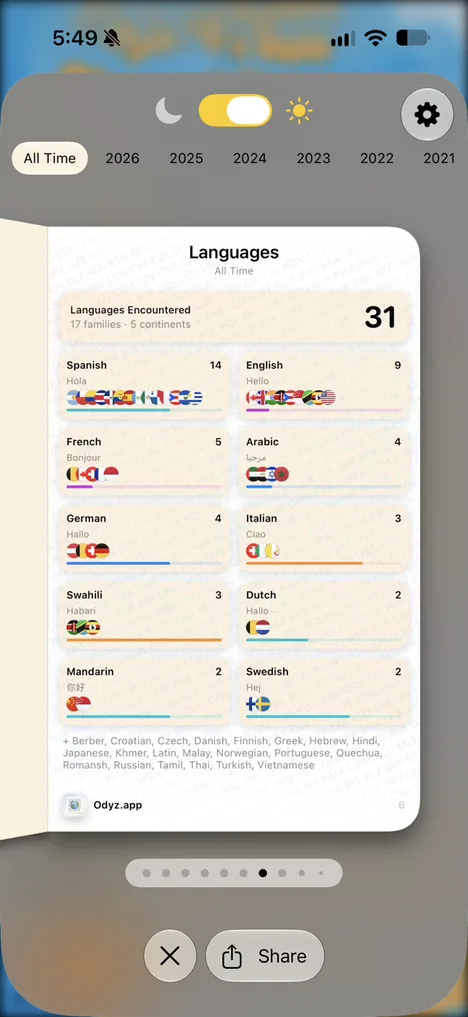
- LanguagesEvery language you have encountered, by language family and continent.
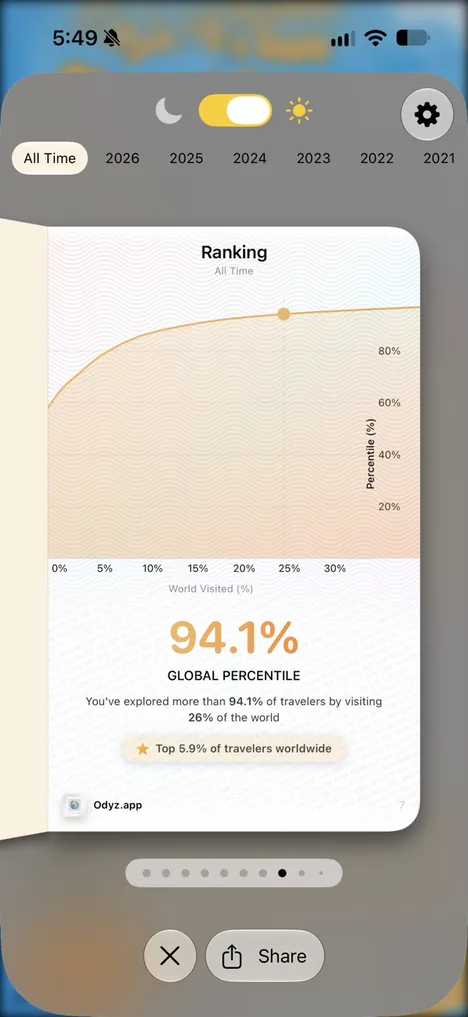
- RankingHow much of the world you have seen, compared with travelers worldwide.
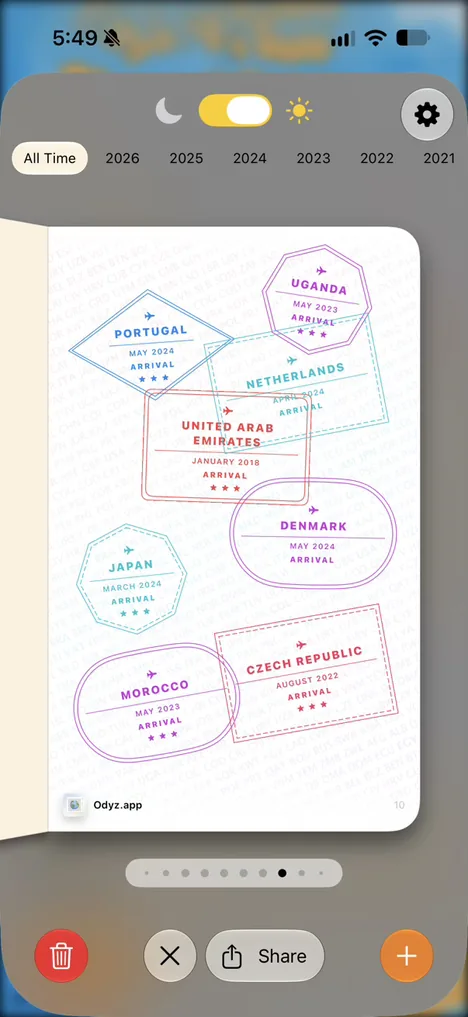
- StampsA passport stamp for every country, with your arrival date.
Share any page
Every page has a Share button, so you can post your passport, your heatmap or your stamps, in light or dark mode.
Compare with a friend
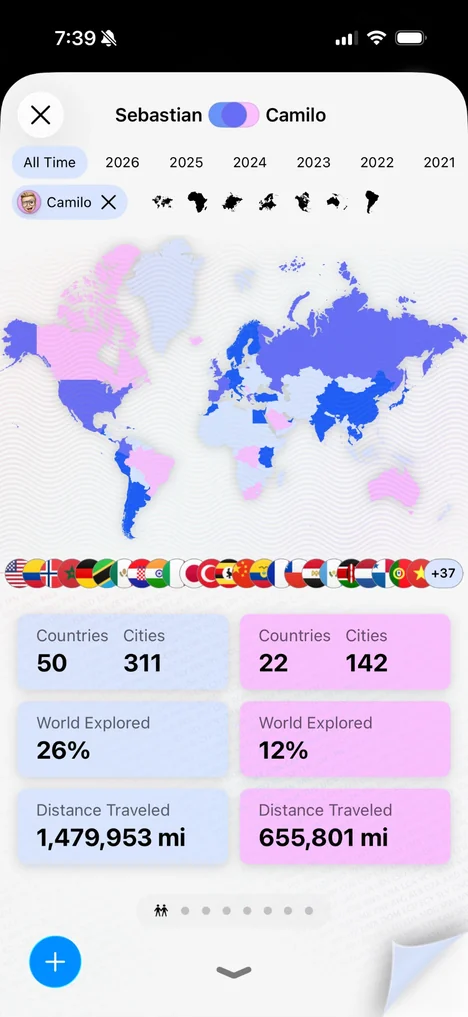
Tap the friends icon to put your passport next to a friend's: both of your countries on one world map, with each of your countries, cities, share of the world explored and distance traveled side by side.
Frequently asked questions
What travel stats does Odyz show?
Continents, countries and cities visited, the share of the world you've explored, trips taken, distance traveled and photos taken, plus a page each for your heatmap, footsteps, favorite countries, seasons, languages, global ranking and stamps.
Where is the passport in Odyz?
On the main screen. Tap the passport icon to open it, then swipe to flip through its pages.
Can I share my travel stats?
Yes. Every page of your passport has a Share button, and you can switch between light and dark mode before you share.
Can I see my travel stats for one year?
Yes. Your passport shows All Time or any single year, so you can see how much you traveled this year or compare years.
Can I compare my travel stats with friends?
Yes. Odyz shows two passports side by side, with both of your countries on one world map.
Do I need to enter my trips to get stats?
No. Every number in your passport comes from the location and date in your photos, so it's ready the first time you open Odyz and keeps itself up to date.
More questions
Try it with your own photos
Odyz is free on iPhone and iPad, with no ads and no account. Your travel history is ready the first time you open it.