Odyz FAQ
How do I track my trips?
Odyz › FAQ › How do I track my trips?
Published · Updated
The short answer
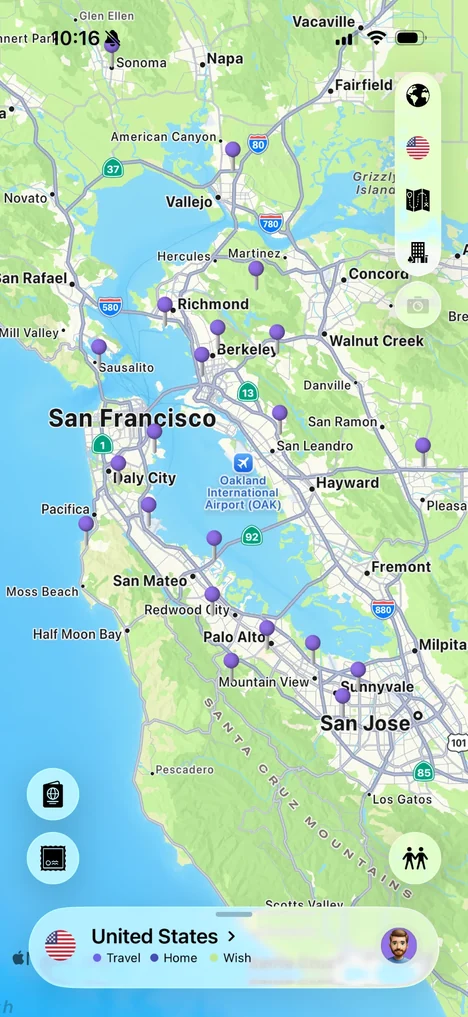
With Odyz, you don't have to do anything. Download it and let it read your photo library: Odyz looks at where and when each photo was taken, groups your photos into trips, and puts them on your timeline, map and digital passport automatically. Trips from years ago show up the first time you open it, and new trips appear as you take photos. There's nothing to check in, no account, and it's free.
Step by step
Download Odyz and allow access to your photos
Odyz is free on the App Store for iPhone and iPad. When it asks, allow access to your photos. Odyz reads the location and date saved in each photo, your travel history is processed on your device, and you don't need an account.
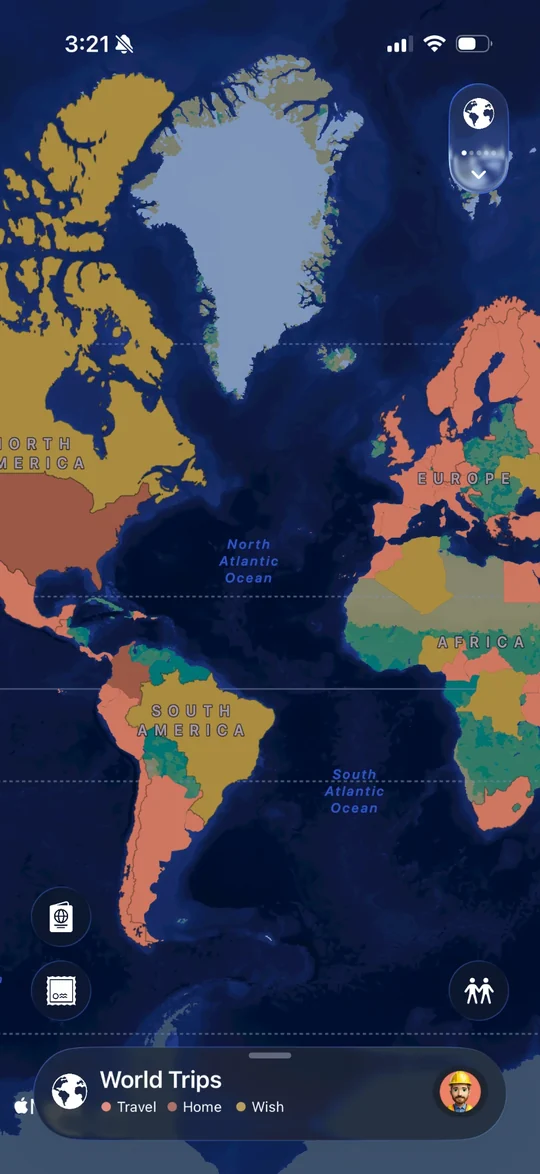
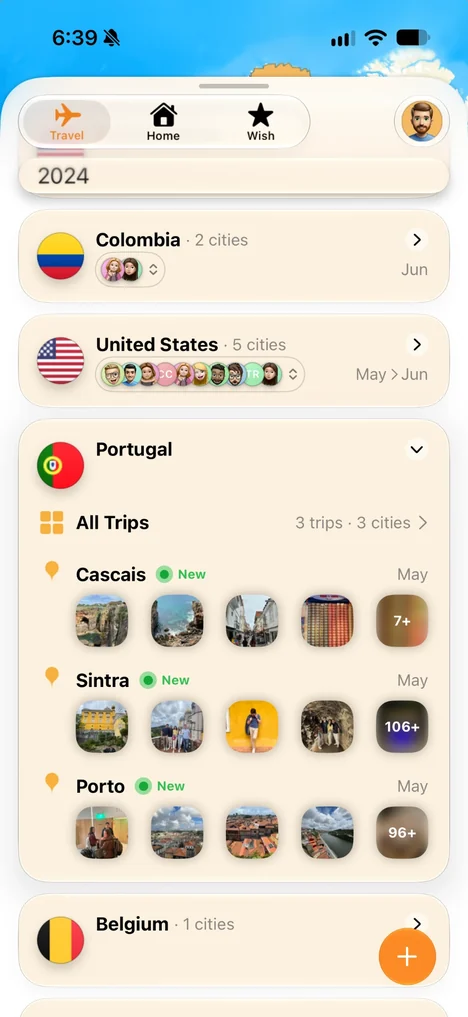
Your trips appear on their own
Odyz groups your photos into trips by place and date. Your timeline lists every trip by year, with the countries and cities you visited and photos from each city.
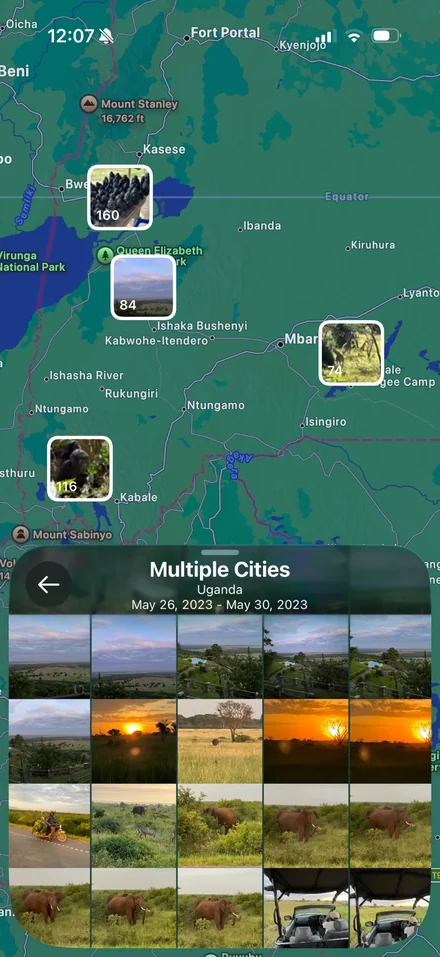
Open a trip to relive it
Every trip shows its photos pinned on the map, right where you took them, from the first city to the last.
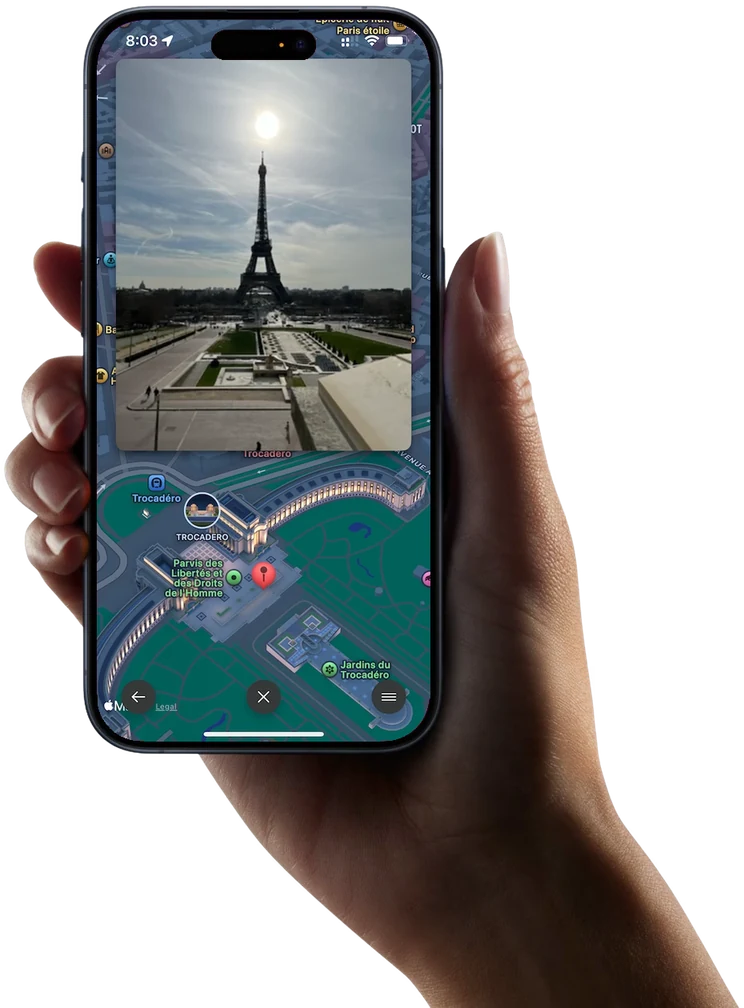
Take a city tour in 3D
Your photos also sit on a 3D map, inside landmarks or out on the street, so you can walk back through a city the way you saw it.
Keep traveling
There's nothing to update. New photos with a location become part of your travel history: a new trip on your timeline, new pins on your map, and a new stamp for every place you visit.
Frequently asked questions
Do I need to check in or log my trips?
No. Odyz builds your trips from the location and date saved in your photos, so there's nothing to check in, type or tick off.
Can Odyz find trips from before I installed it?
Yes. Odyz works from the photos already on your phone, so trips from last month or ten years ago show up the first time you open it.
Why is a trip or a photo missing?
Odyz places photos using the location saved in them. Photos taken while location was off for the Camera, screenshots, and many photos saved from messages or the web don't have a location, so Odyz can't put them on the map.
Do I need an account?
No. Odyz doesn't need an account or an email address, and your travel history is processed on your device.
More questions
Try it with your own photos
Odyz is free on iPhone and iPad, with no ads and no account. Your travel history is ready the first time you open it.